Committee Elections Guide
Stratapilot · Help Centre Last updated: June 2026
Overview
Stratapilot manages committee elections end-to-end: collecting nominations, running the vote via the polls system, declaring results, and automatically assigning committee roles to elected members.
Who Can Do What
| Action | Secretary / Admin | Any Committee Member | Viewer |
|---|---|---|---|
| Create an election | ✅ | ❌ | ❌ |
| Submit a nomination | ✅ | ✅ | ❌ |
| Withdraw a nomination | ✅ (any) | ✅ (own only) | ❌ |
| Close nominations | ✅ | ❌ | ❌ |
| Start voting | ✅ | ❌ | ❌ |
| Declare results | ✅ | ❌ | ❌ |
| Assign roles | ✅ | ❌ | ❌ |
Election Lifecycle
Elections move through six stages:
| Status | Meaning |
|---|---|
| Nominations open | Members can submit nominations |
| Nominations closed | Nomination period has ended; awaiting voting start |
| Voting | Election polls are open for member votes |
| Results declared | Votes counted; elected members identified |
| Roles assigned | Platform roles updated to reflect election outcome |
Step 1 — Creating an Election (Secretary)
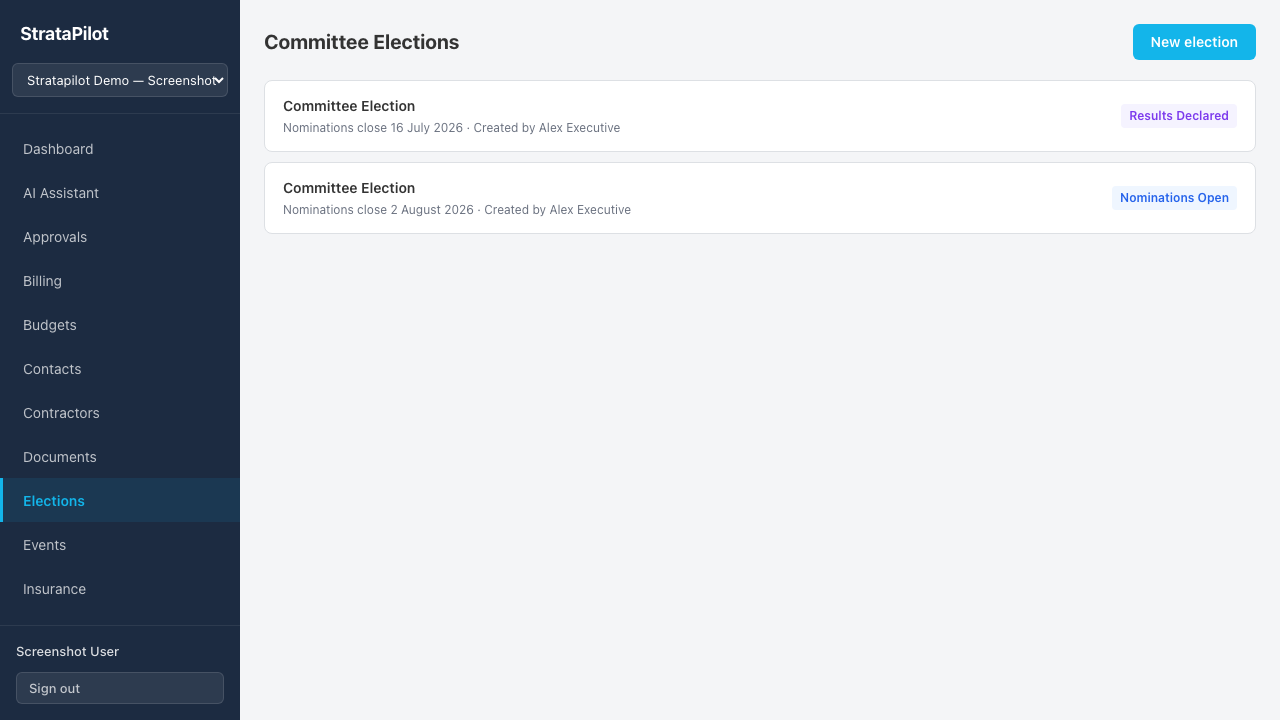
- Go to Elections in the main navigation.
- Click New election.
- Set:
- Nomination deadline — date and time when nominations close automatically.
- Max committee size — maximum number of committee members (3–20). This determines how many candidates can be elected.
- Click Create election.
The election is created with Nominations open status.
Step 2 — Submitting Nominations
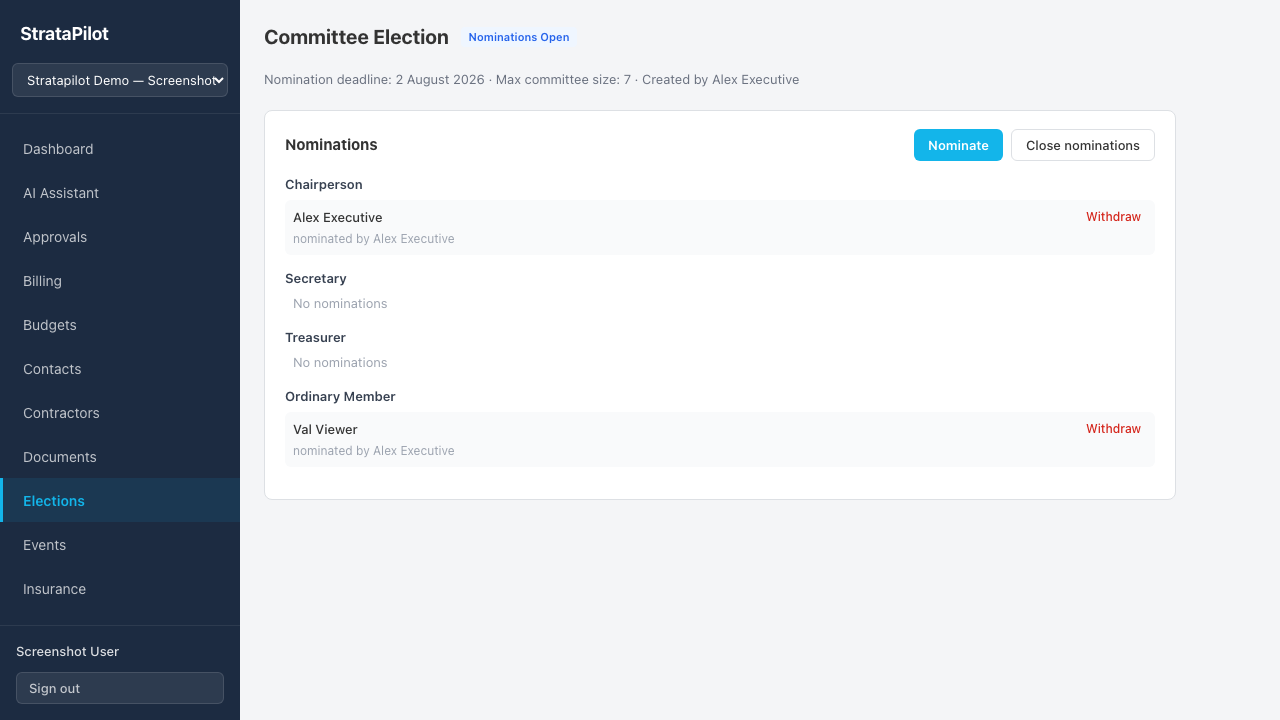
Any scheme member (including the secretary) can nominate candidates while the election is in Nominations open status.
- Open the election from the Elections list.
- Click Nominate.
- Select:
- Position — the role the nominee is standing for:
Position Notes Chairperson At most one per scheme Secretary At most one per scheme Treasurer At most one per scheme Ordinary Member No limit beyond max committee size - Nominee — select any scheme member from the list. By default, the logged-in member nominates themselves.
- Position — the role the nominee is standing for:
- Click Nominate.
Nominations show the nominee's name and the nominator's name.
Withdrawing a Nomination
- A committee member can withdraw their own nomination at any time while nominations are open.
- The secretary can withdraw any nomination.
Click Withdraw next to the nomination to remove it.
Step 3 — Closing Nominations (Secretary)
- Open the election.
- In the Nominations section, click Close nominations.
The election moves to Nominations closed status. No new nominations can be submitted.
Step 4 — Starting Voting (Secretary)
- Open the election (status: Nominations closed).
- Click Start voting.
The platform creates one or more linked polls — one per contested position. These polls appear in the main Polls section and are open for all lot owners to vote in (GENERAL scope). Click View poll → links in the election detail to check progress.
Step 5 — Declaring Results (Secretary)
- Open the election (status: Voting).
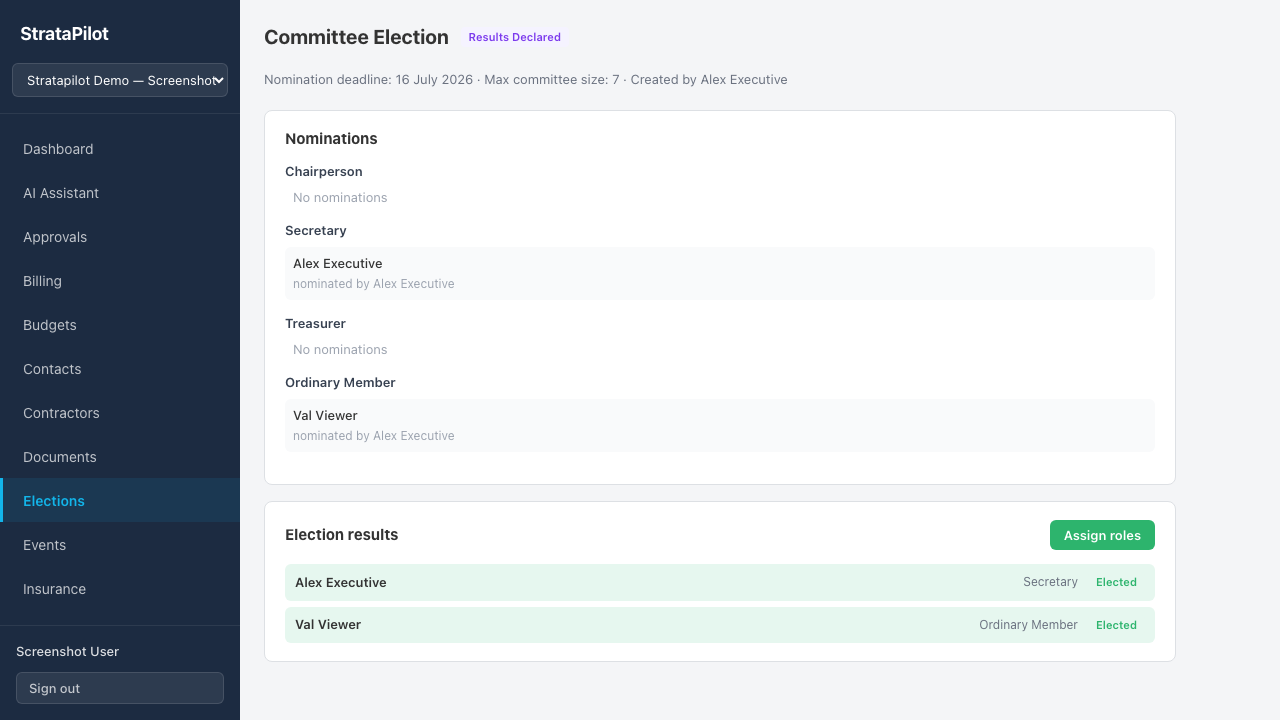
- Once all linked polls have closed, click Declare results.
The Results section shows each nominee with their vote count and an Elected badge for those who received sufficient votes to fill the available positions.
Step 6 — Assigning Roles (Secretary)
- Open the election (status: Results declared).
- Click Assign roles.
The platform automatically updates each elected member's role in the scheme:
- Elected Chairperson, Secretary, or Treasurer nominees replace the previous holders of those labels (previous holders become Ordinary Members).
- Elected Ordinary Member nominees are added or retain the Ordinary Member label.
Handover Summaries
After roles are assigned, the secretary can view a handover summary for each elected member. Click Load handover next to their name to see:
- Open task count assigned to them
- Active billing request count
- Unresolved report count
Use these summaries when briefing incoming executives.
Frequently Asked Questions
Can a lot owner (Viewer) stand for election? The nomination form is available to all committee members. Viewers are not eligible to nominate themselves — they would need to be elevated to a committee role first. Check your scheme's constitution for eligibility rules.
What happens to the outgoing Chairperson's role when a new one is elected? The previous Chairperson's label is automatically changed to Ordinary Member when roles are assigned after the election.
Can the same person be nominated for multiple positions? The platform allows multiple nominations per person. However, a person can only hold one label at a time. Consult your state's strata legislation and scheme by-laws for any restrictions.
State-specific election requirements:
| State | Notes |
|---|---|
| QLD | Body corporate committee elections are governed by the BCCM Act; committee size and process requirements vary by module |
| NSW | Committee elections are conducted at the AGM under the SSMA 2015; the platform supports this workflow |
| VIC | Owners Corporations Act 2006 governs committee composition and elections |
| WA | Strata Titles Act 2020 sets out council election procedures |
Always verify your scheme's by-laws and state legislation for the specific rules that apply to your election.
This guide documents Stratapilot platform behaviour. For legal requirements governing strata committee elections in your state, consult a licensed strata manager or solicitor.