Insurance Management Guide
Stratapilot · Help Centre Last updated: June 2026
Overview
Stratapilot tracks your scheme's insurance policies and their renewal dates so nothing lapses unnoticed. Executives can record all active policies, monitor their status, and track claims against each policy.
Who Can Do What
| Action | Executive | Ordinary Member | Caretaker | Viewer |
|---|---|---|---|---|
| View insurance policies | ✅ | ✅ | ✅ | ❌ |
| Add a policy | ✅ | ❌ | ❌ | ❌ |
| Edit a policy | ✅ | ❌ | ❌ | ❌ |
| Record a claim | ✅ | ❌ | ❌ | ❌ |
Policy Types
Stratapilot supports the following insurance policy types, which reflect the typical coverage categories required for Australian strata schemes:
| Type | Description |
|---|---|
| Building | Covers the structure of the building and common property |
| Public liability | Covers third-party injury or property damage on common property |
| Workers' compensation | Covers workers (e.g. caretakers) for work-related injuries |
| Voluntary workers | Covers volunteers working on the scheme |
| Office bearers' liability | Covers committee members against claims arising from their duties |
| Fidelity guarantee | Covers against fraud or dishonesty by committee members or employees |
| Machinery breakdown | Covers failure of lifts, pumps, and mechanical plant |
| Other | Any other policy type |
Legal requirement: Most Australian states require body corporates to hold a minimum level of building insurance on the replacement cost of the building. Check your state's strata legislation for the exact requirements.
Policy Statuses
| Status | Meaning |
|---|---|
| Active | Policy is current and in force |
| Expiring soon | Policy renewal date is approaching (within 30 days) |
| Expired | Policy end date has passed |
| Cancelled | Policy was cancelled before the end date |
Adding a Policy
Executives can add a new insurance policy at any time.
- Go to Insurance in the main navigation.
- Click Add policy.
- Fill in the form:
- Policy type — select from the list above
- Insurer name — required (e.g. "QBE Insurance", "Allianz", "CHU Underwriting Agencies")
- Policy number — required (e.g. "POL-123456")
- Coverage amount (AUD) — the total sum insured under this policy
- Annual premium (AUD) — the yearly premium amount
- Start date — the date the policy takes effect
- End date — the policy renewal/expiry date
- Click Add policy.
Viewing and Editing a Policy
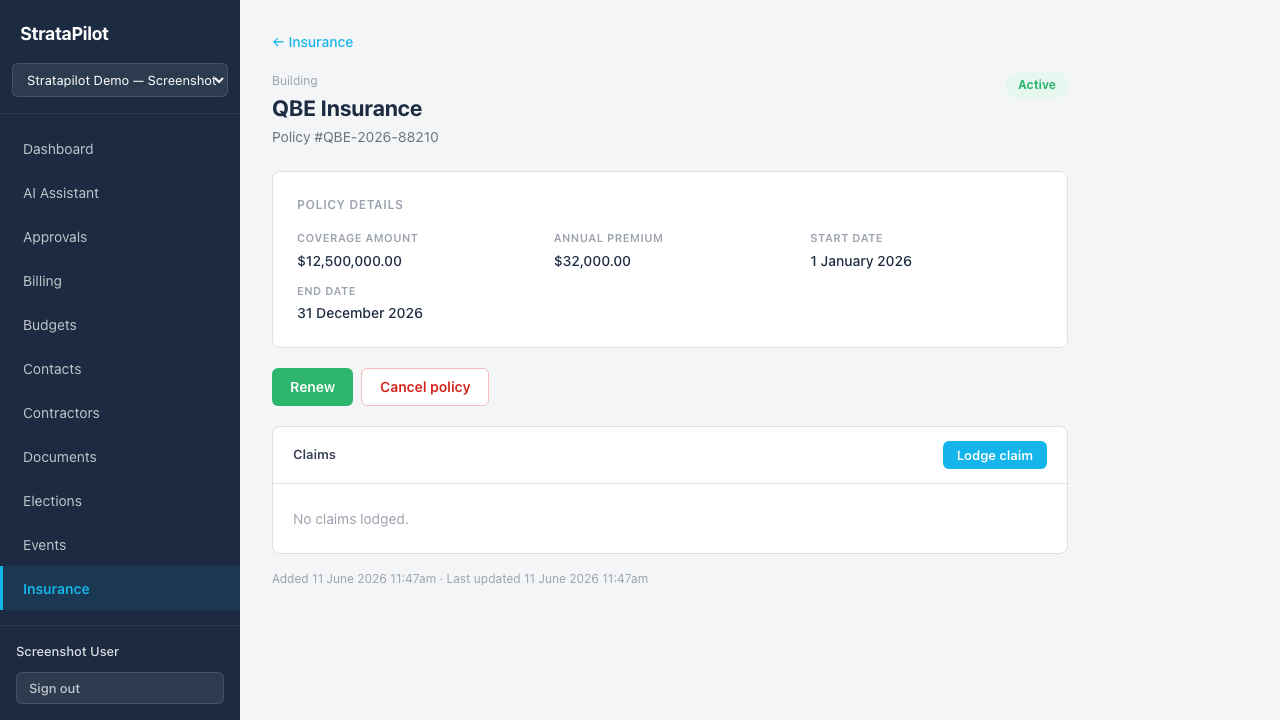
Click any policy in the list to open the detail view. From there you can:
- Review all policy details
- See any claims recorded against the policy
- Edit policy details (executives only)
- Record a new claim
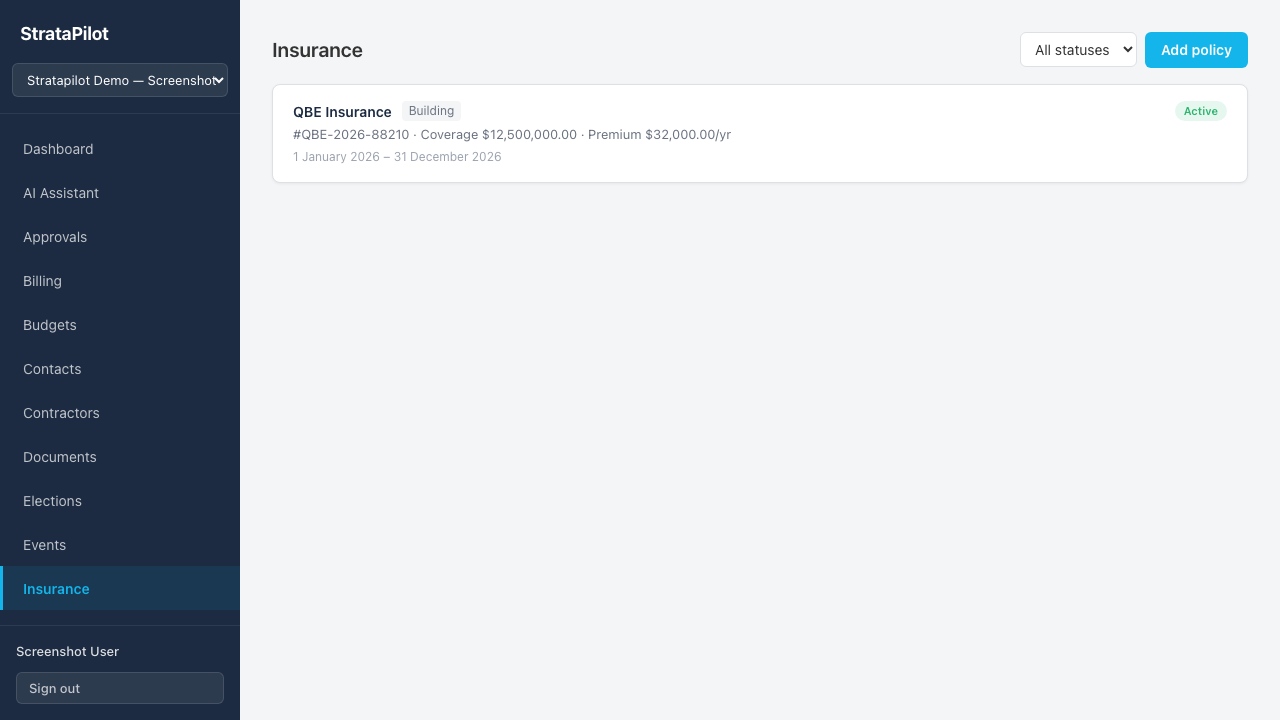
The policy list shows:
- Insurer name and policy type badge
- Policy number, coverage amount, and annual premium
- Policy date range
- Status badge and number of claims
Recording a Claim
When a claim is lodged with the insurer, record it in the platform for tracking:
- Open the insurance policy the claim is lodged against.
- Click Add claim in the policy detail view.
- Enter the claim details including date, description, and amount.
The number of claims is shown in the policy list row.
Filtering Policies
Use the status filter at the top of the Insurance page to show only Active, Expiring Soon, Expired, or Cancelled policies.
State-Specific Insurance Requirements
| State | Key requirements | Legislation |
|---|---|---|
| QLD | Building insurance required; minimum insured value must reflect full replacement cost | BCCM Act — body corporate must hold building insurance |
| NSW | Building insurance compulsory; replacement value must be assessed at least every 5 years | SSMA 2015 — section 160 |
| VIC | Building insurance required for the common property and building structure | Owners Corporations Act 2006 |
| WA | Strata company must insure the building for full reinstatement value | Strata Titles Act 2020 |
⚠ Always consult your insurer and a licensed strata manager to ensure your coverage meets your state's statutory requirements and your scheme's specific needs.
Frequently Asked Questions
Who should renew the insurance policy? Insurance renewal is typically managed by the Treasurer. Stratapilot flags policies that are Expiring soon (within 30 days) so the committee can act in time.
Can I attach the certificate of currency? Upload the certificate of currency as a document in the Documents module under the Insurance category. It can then be linked from the policy detail view.
Can lot owners see insurance information? No — insurance policy details are visible to committee members and the caretaker only. Lot owners (Viewer role) do not have access to the Insurance section.
Does Stratapilot send renewal reminders? The platform flags policies as Expiring soon in the status badge. Automated email reminders are on the roadmap for a future release.
This guide documents Stratapilot platform behaviour. Always consult a licensed strata manager or qualified insurance broker for advice on coverage requirements specific to your scheme and state.