Reports and Complaints Guide
Stratapilot · Help Centre Last updated: June 2026
Overview
Any scheme member can submit a report or complaint about a maintenance issue, safety hazard, by-law breach, or other concern. The committee manages the follow-up workflow and can record internal notes invisible to the submitter.
Who Can Do What
| Action | Executive | Ordinary Member | Caretaker | Viewer |
|---|---|---|---|---|
| Submit a report or complaint | ✅ | ✅ | ✅ | ✅ |
| View all reports / complaints | ✅ | ✅ | ✅ | ✅ (own only) |
| Advance status | ✅ | ✅ | ❌ | ❌ |
| Assign to a member | ✅ | ✅ | ❌ | ❌ |
| Add internal notes | ✅ | ✅ | ❌ | ❌ |
| Close a report | ✅ | ❌ | ❌ | ❌ |
The submitter's identity is visible to committee members but is never shown to other lot owners.
Report Types and Categories
Type — choose the nature of the submission:
| Type | When to use |
|---|---|
| Report | Maintenance issues, safety hazards, building damage, common property concerns |
| Complaint | By-law breaches, noise, parking violations, behaviour concerns |
Category — select the most specific category that applies:
| Category | Examples |
|---|---|
| Maintenance | Broken lights, water leak, lift fault, damaged common property |
| By-law breach | Unapproved renovation, prohibited use of lot |
| Noise | Excessive noise from a lot or common area |
| Common property | Damage to or misuse of common areas |
| Parking | Unauthorised parking, blocking access |
| Other | Anything that does not fit the categories above |
Submitting a Report or Complaint
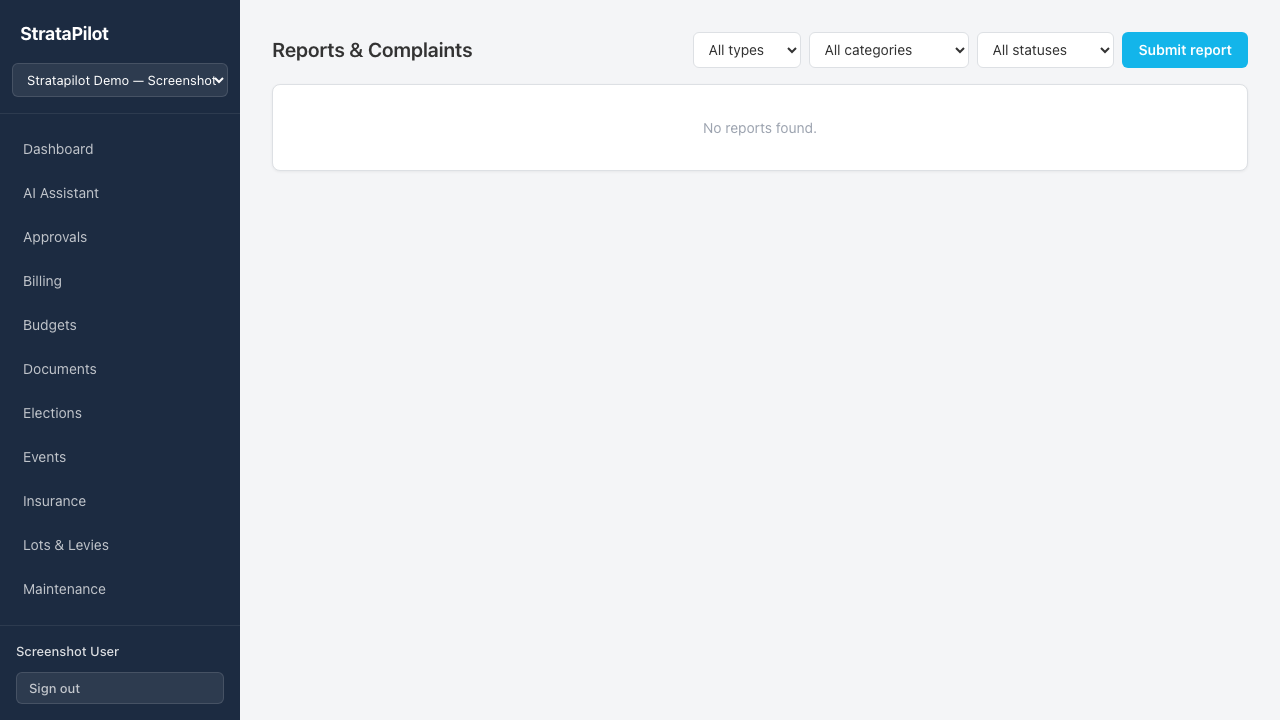
- Go to Reports & Complaints in the main navigation.
- Click Submit report.
- Fill in the form:
- Type — Report or Complaint
- Category — choose the most relevant category
- Title — required. One line summary of the issue.
- Description — required. Describe the issue in detail. Use the AI Enhance button to help draft a clear description.
- Lot — optional. Select the lot the issue relates to (may be different from your own lot).
- Attachments — optional. Attach photos or supporting documents (any file type).
- Click Submit.
You receive an email confirmation when the report is submitted. Executives are notified by email of the new submission.
Status Timeline
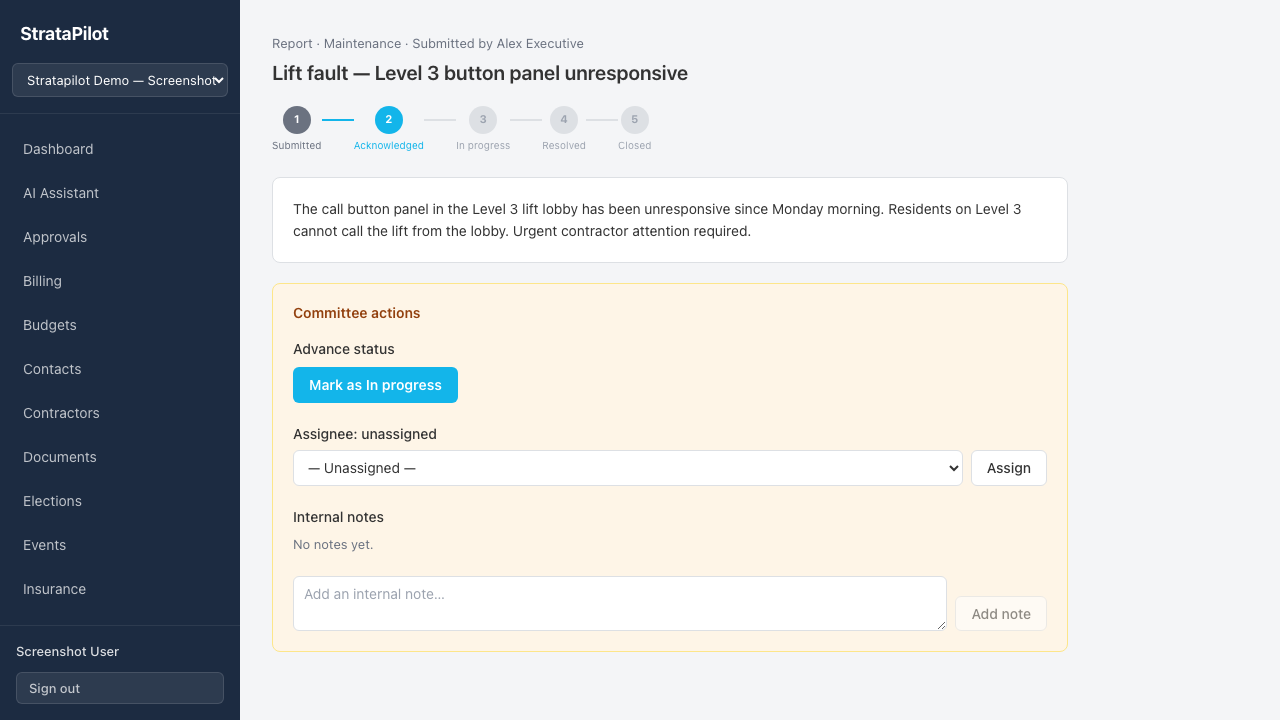
Reports and complaints move through five statuses. A progress timeline at the top of the detail view shows the current position.
| Status | Meaning |
|---|---|
| Submitted | Received, awaiting committee acknowledgement |
| Acknowledged | Committee has noted the submission |
| In progress | Active investigation or remediation underway |
| Resolved | Issue has been addressed |
| Closed | Report is closed; resolution summary recorded |
The submitter receives an email notification whenever the status advances.
Advancing to Closed requires a resolution summary — this is mandatory before the report can be closed.
Committee Actions (Executives and Ordinary Members)
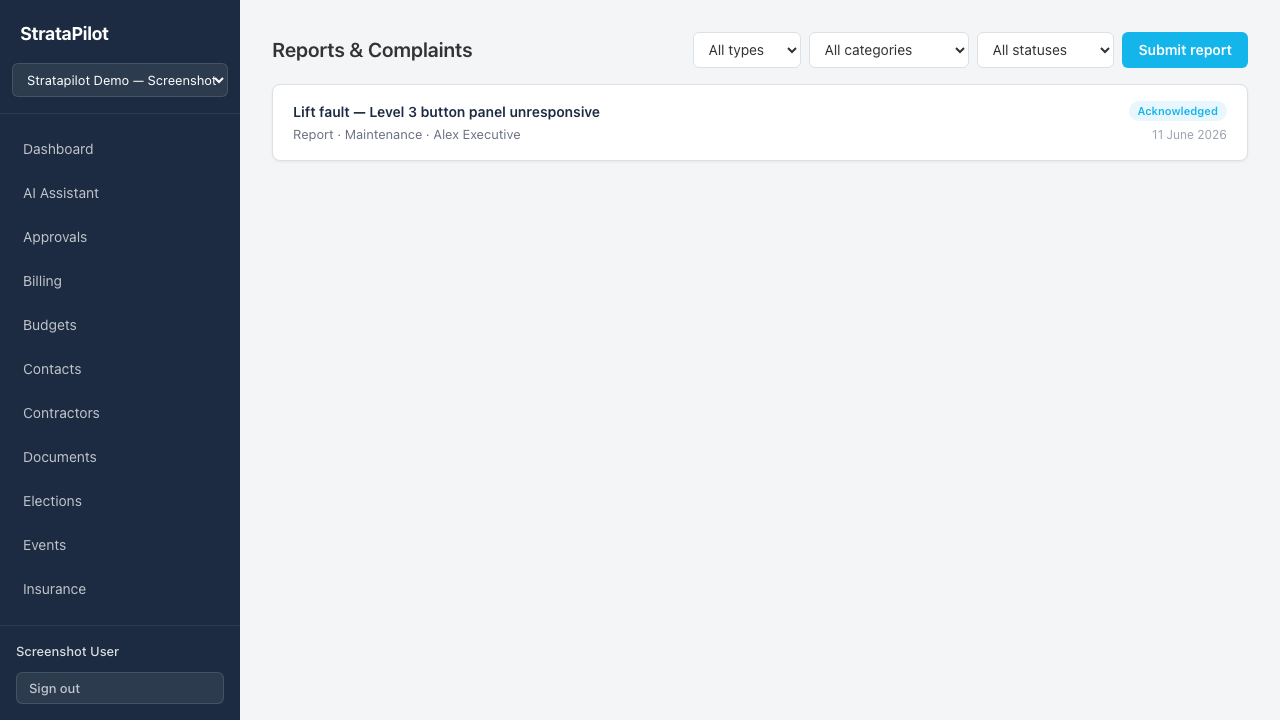
The Committee actions panel appears on the detail page for committee members. It is not visible to Viewer-role users.
Advancing Status
Click Mark as [next status] to move the report forward. When advancing to Resolved or Closed, enter a resolution summary describing what action was taken. The resolution summary is visible to the submitter once the status reaches Resolved or Closed.
Assigning
Select a committee member or caretaker from the Assignee dropdown and click Assign. The assignee is responsible for following up on the report.
Internal Notes
Add notes that are never visible to the submitter or other lot owners — only committee members can see internal notes. Use these to record:
- Investigation findings
- Contractor communication
- Legal or by-law references
- Action taken internally
Attachments
Attachments are stored in the same object storage as documents, under a reports/ prefix. Submitters and committee members can download attachments from the report detail page. Attachments are not visible in the main document library.
Filtering and Searching
Use the filters at the top of the Reports page to narrow the list:
- Type — Report or Complaint
- Category — filter by category
- Status — filter by current status
Frequently Asked Questions
Can a Viewer see other owners' reports? No. Viewers can only see reports they submitted themselves. The submitter's identity on a report is visible to committee members only.
Is the resolution summary visible to the submitter? Yes — once the report status reaches Resolved or Closed, the resolution summary is shown to the submitter in their report detail view.
Can I reopen a closed report? No. A closed report is final. If a new issue arises, submit a new report.
Can attachments be added after submission? Not in v1. All attachments must be included at the time of submission. Reference existing documents via description text if needed.
Who gets notified when the status changes? The submitter receives an email on every status change. Executives receive an email when a new report is first submitted.
This guide documents Stratapilot platform behaviour. For by-law enforcement procedures specific to your scheme or state, consult your strata manager or legal adviser.